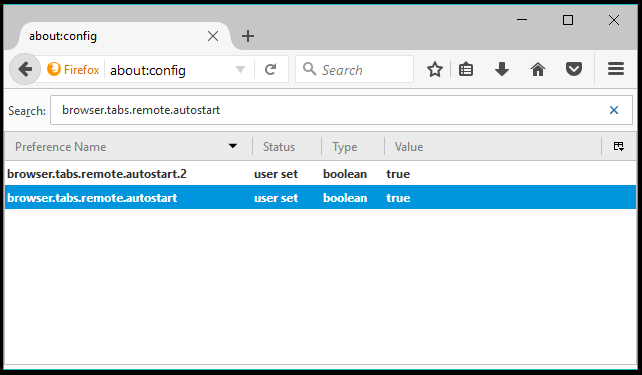
Before enabling E10S manually, assuggested by Ghacks, you need to make sure that you aren’t running any incompatible add-on because most of them are so, until the developers optimize them for Mozilla new WebExtensions format. You can visit a website called arewee10syet to verify the compatibility of the add-ons and extensions.
Also Read:7 Best Features Of Upcoming Windows 10 Fall Creators Update
Enable Firefox Multi-Process manually
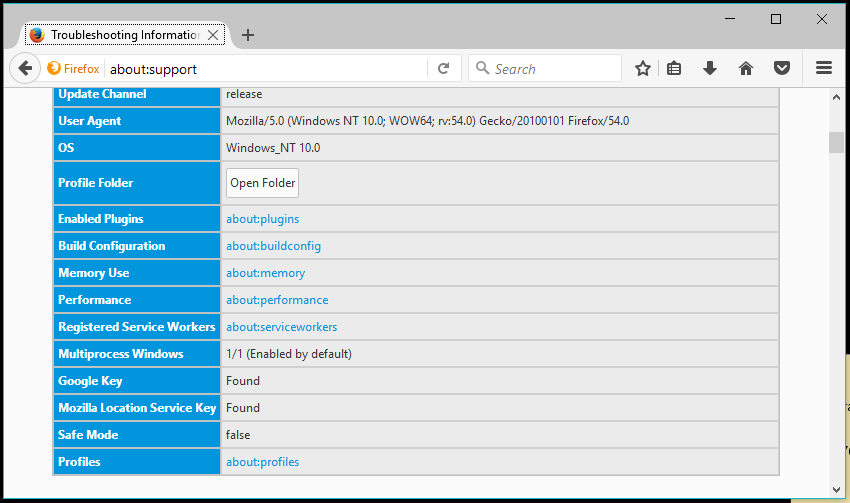
You can check if multi-process is already enabled on your Firefox by typing about:support in the address bar.
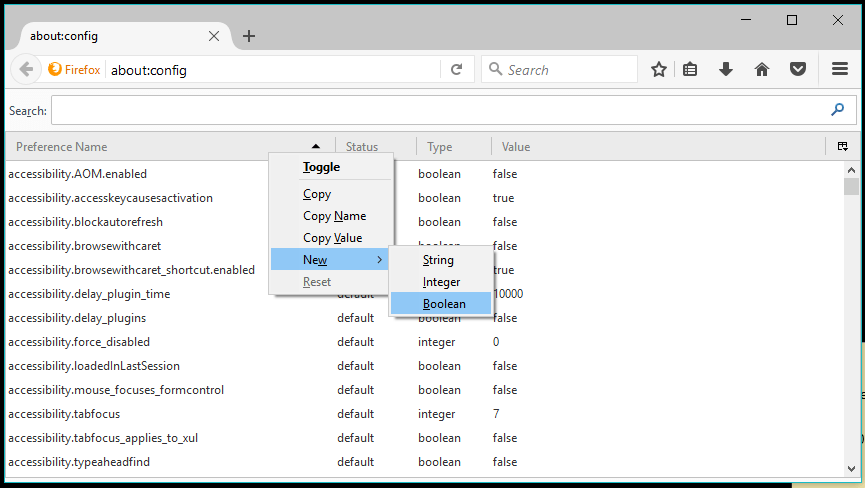
It would be better if, youcreate a new Firefox profileto do all the changes, as, reverting back would not be as easy as, deleting the profile. to turn on Electrolysis on your Firefox 54 manually, you need to follow the steps mentioned below:

Force-enable Multiprocess in Firefox
you’re able to verify if the process has been successful or not by revisiting the about:support page. There might be chances that multiprocess didn’t turn on because of incompatible add-ons. The about:support page would list the cause why e10s is disabled. If that’s the case, you can force Firefox to allow electrolysis.
The about:support will display Multiprocess Windows status as “Enabled by user’ when you force it.
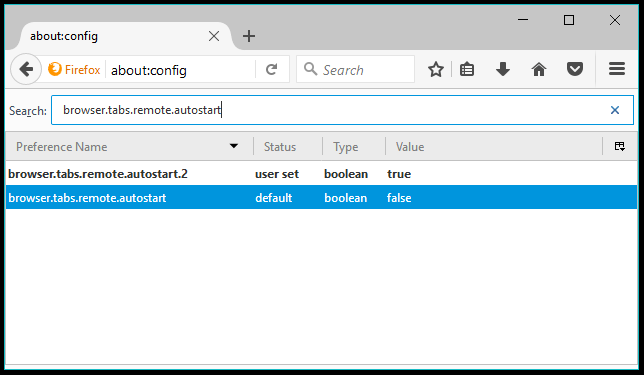
Please note that there are risks associated with force-enabling multiprocess and Mozillawarns about the same in their wiki. Also, the multiprocess didn’t turn off in my case when I set the value to False.
Increase the number of content processes for Electrolysis
Firefox supports up to 7 content processes, but only four are enabled by default in Firefox 54. You can change the number by searching fordom.ipc.processCounton the about:config page.
The process count was initially set to one. Double-click thedom.ipc.processCountpreference to edit its value. Set the process count to four or above. Later versions of Firefox will include an option to the same.
Got something to add? Drop your thought and feedback.
Also Read:10 Best Free And Open Source Android Apps Every User Should Try