There are a lot of reasons why sharing an Amazon account is a great idea. You only need to pay for one membership to access to all of the benefits Amazon offers with Prime, including free one-day delivery,Prime Video, unlimited photo storage, Amazon Music membership,Prime reading, and more. You can even add multiple delivery addresses and payment options to a single account, so the majority of the time it’s no problem to share an account with someone else.
What if you want to buy something for the person you share an Amazon account with, however? Whatever you order from Amazon is going to appear in your list of orders, which both of you can see. If the other person finds out what you’ve ordered, the surprise is ruined.

What is Amazon Prime Try Before You Buy and how does it work?
Everything you need to know about Amazons Prime Try Before You Buy including what t it is and how it works.
The good news is that it’s possible to move specific Amazon orders out of the main list of orders and squirrel them away so they’re out of sight. If you’re purchasing something on Amazon for someone you share an account with, then here’s all you need to know about how to hide Amazon orders.

Who can see my Amazon orders?
If you share your account with another person in your household, by default any purchases you make will be visible in theYour Orderssection of the Amazon website or app. As a result, if you buy something as a surprise for the person who you share accounts with, they’ll be able tosee the order.
There’s no way to completely remove an order from your Amazon account. However, you can choose to archive an order. This moves it from theYour Orderssection to a separate archive that isn’t immediately visible on theYour Orderspage. As long as the person you’re hiding the order from doesn’t go looking for it, they shouldn’t stumble across the items that you’ve ordered from unless they’re looking for an archived order themselves. You can archive up to 500 orders.
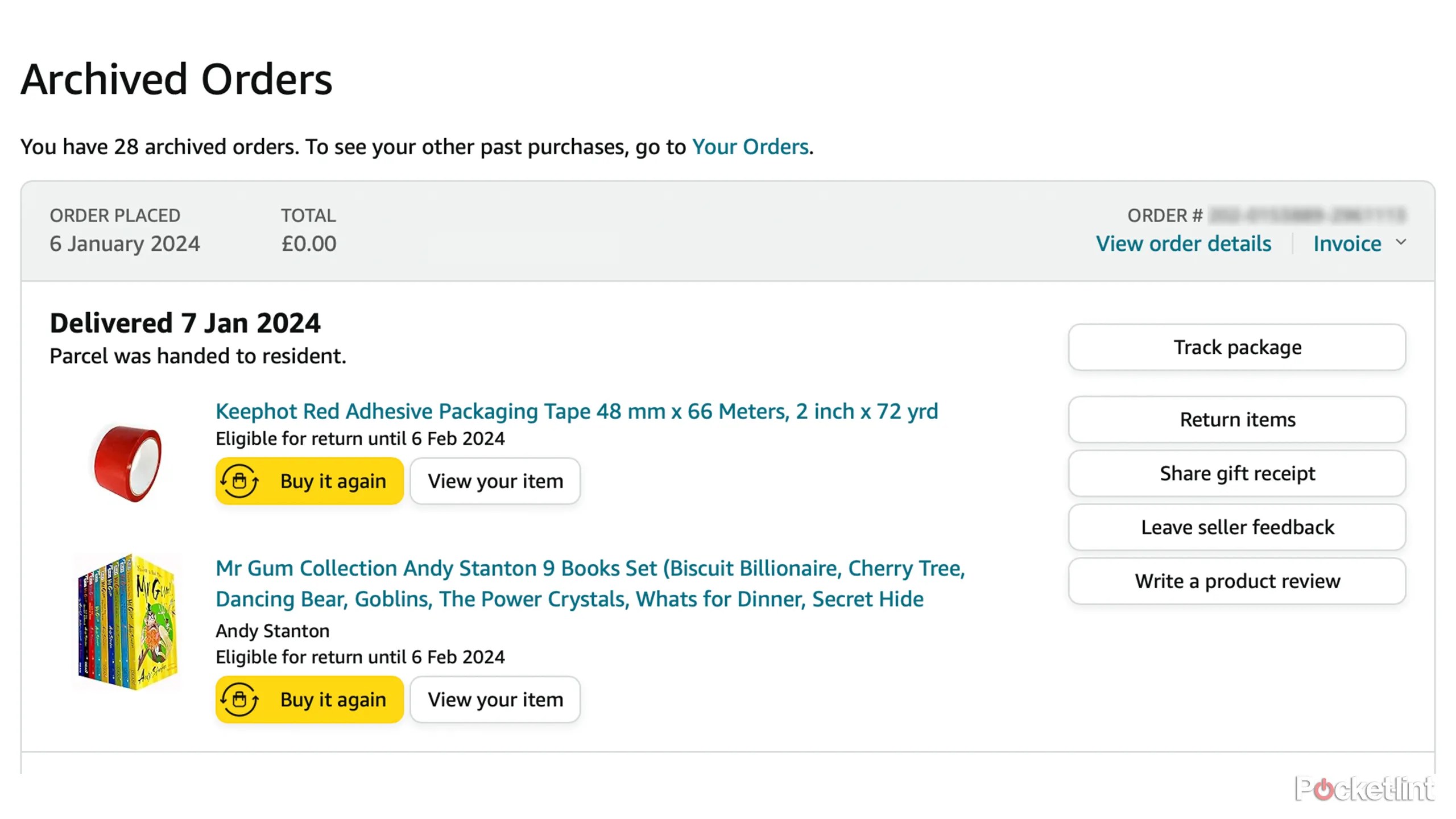
How to archive Amazon orders on desktop
The easiest way to archive an Amazon order is through the desktop website. There’s no direct way to archive an order in the Amazon mobile app – though there’s a workaround we’ll detail later.
How to see archived Amazon orders on desktop
Archiving your orders hides them from sight, but what if you want to find your archived orders again? you’re able to search for archived orders in theYour Orderssection of the website. Once again, this is only possible on the desktop site; there’s no option to bring up archived orders on the mobile app.
How to archive and unarchive Amazon orders on mobile
There’s no option to archive an order within the Amazon mobile app. However, it is possible to archive an order oniPhone or Androidby opening the desktop version of the website in your browser of choice, rather than using the app.
How to hide Amazon orders on Alexa
Even if you hide Amazon orders in the archive, there’s still a chance that your surprise could be spoiled by Alexa giving the game away. Alexa can announce information about your current orders, including dispatch and delivery information, as well as information about the products that you’ve ordered. If you have an Alexa smart display, such as anEcho Show 10, the orders can even be visible on the screen. If you want to keep a purchase secret, you’ll need to ensure that these notifications don’t include the names of your products.
How to create an Amazon Household to keep accounts separated
If hiding anything you buy as a surprise seems like a lot of hassle, or you’re worried that the person you’re buying for may sneakily go looking to see what you’ve bought them, then there is a way for you and another adult to share all the benefits of a Prime account, but still keep two separate Amazon accounts, so that the other person won’t be able to see anything that you’ve ordered. An Amazon Household account allows you to share yourPrime benefitswith one other adult who can access them through their own account.


