A newer feature of theAltStoresideloading platform for iPhone and iPad is the ability touse trusted sourcesin the AltStore app to find and install sought after software that will likely never be present in Apple’sApp Storebecause of its rules and restrictions.
Since adding trusted sources to the AltStore app could prove useful for the end user by expanding the number of places where software can be obtained from, we thought it would be useful to go hands-on with this capability and share it with those who may want to try it out for themselves.
With that in mind, this tutorial will show you how you can add trusted sources to your AltStore application on your iPhone or iPad.
What you need to know
At the time of this writing, this feature is limited to trusted sources, which are certain sources that have been screened by the AltStore Team for their safety. These sources will add a limited number of additional software offerings to yoursideloadableapps list; however, they will be trustworthy.
The AltStore Team plans to add support for adding any source in a future update to the AltStore app, however we don’t yet know when that feature will come to the masses. Having said that, this tutorial will focus only on adding trusted sources.
Adding a trusted source to AltStore on iPhone or iPad
To add a trusted source to the AltStore app on your iPhone or iPad, follow these steps:
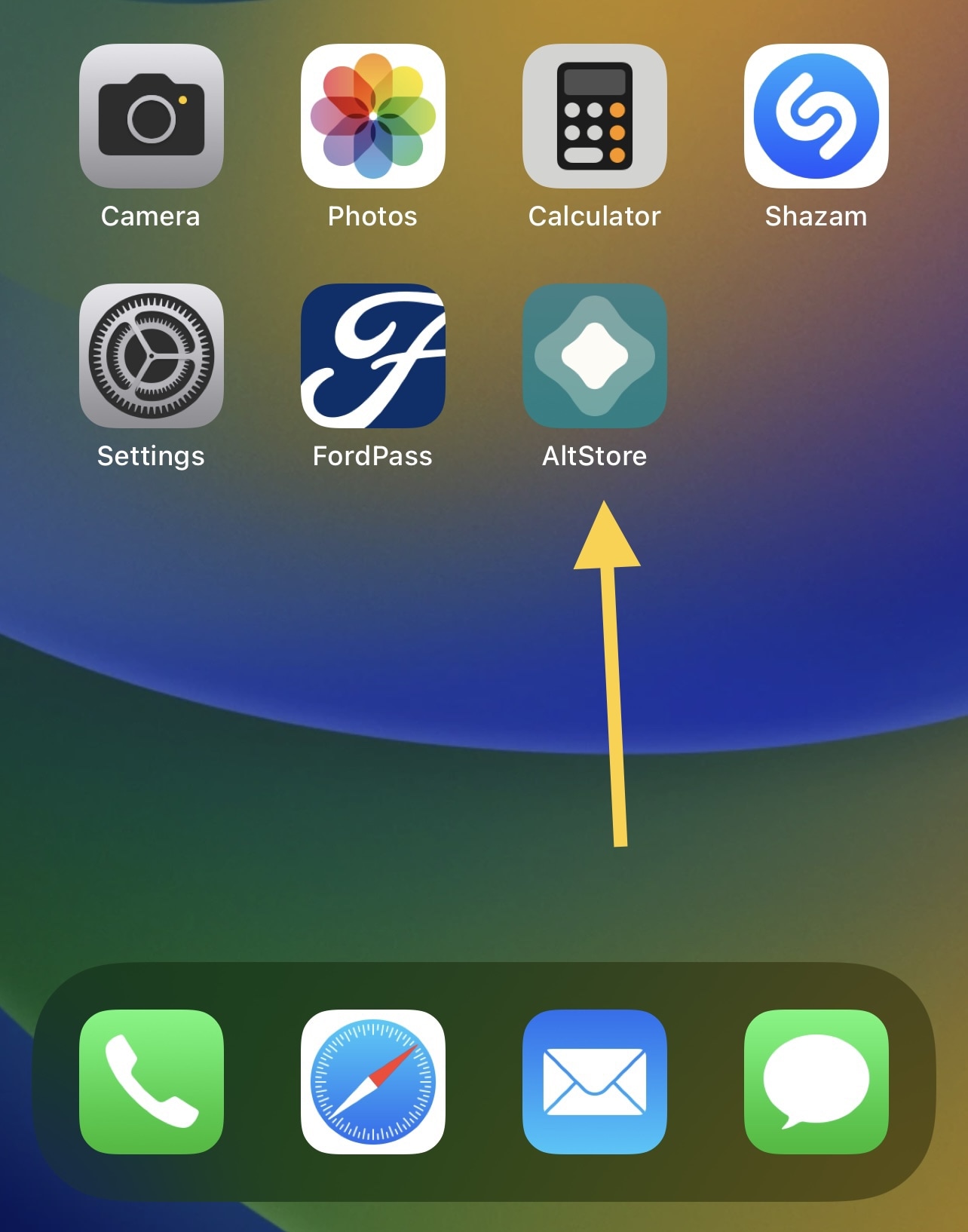
- Launch the AltStore appfrom your iPhone or iPad’s Home Screen:

2)Tap on theBrowsetab at the bottom of the app:
3)Then, tap on theSourcesbutton at the top-right of the app.
4)Pick one or more of the sources you want to use and tap on the respectiveAddbutton(s):
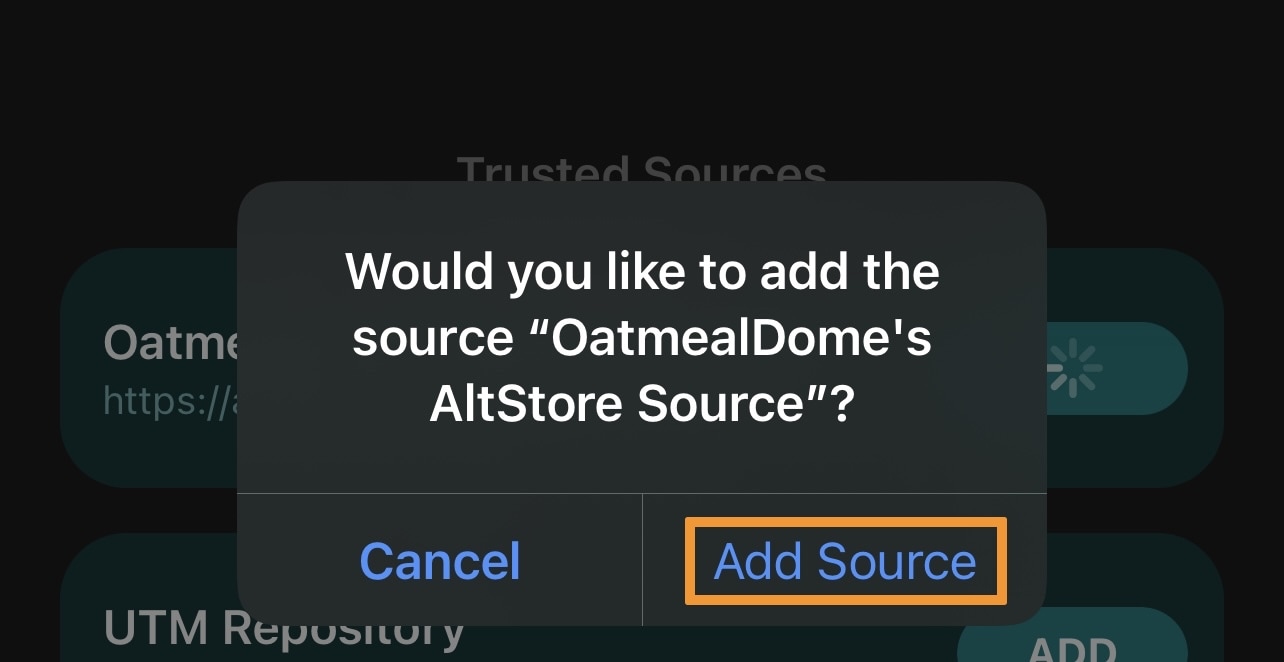
5)In the prompt that follows, tap on the blueAdd Sourcebutton to confirm adding it to your source list:
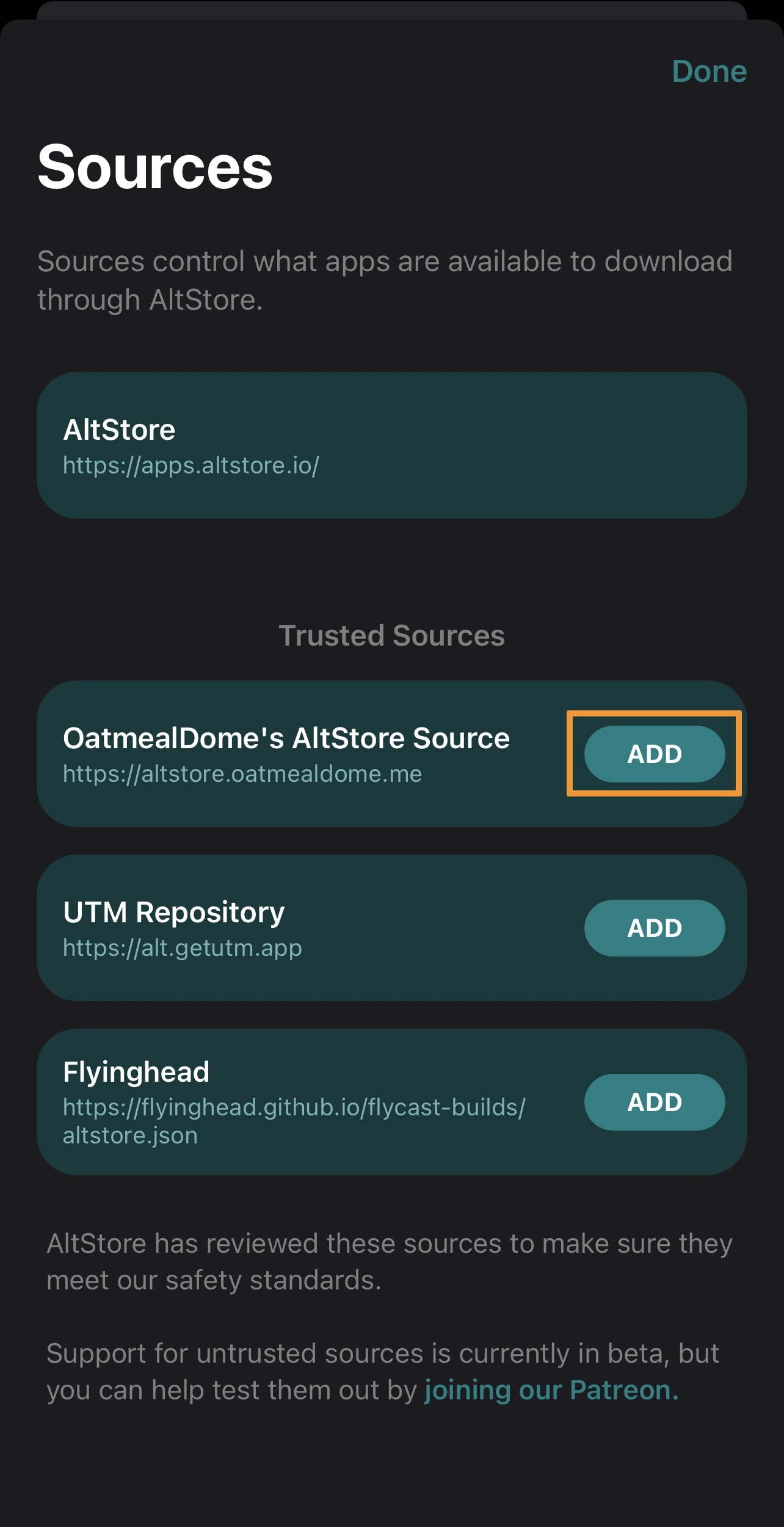
6)Once added, the new source appears in your source list. Tap on theDonebutton to complete your task:
you’re able to now download apps from the trusted source(s) you just added. Enjoy your new freedom!
Conclusion
Sideloading apps is a fun way around Apple’s App Store limitations, and for getting more out of your device without having tojailbreakit. With these trusted sources, you can expand the list of available apps to download in the AltStore app directly, letting you take advantage of even more quality sideloadable apps.
Have you added any additional sources to your AltStore app? Be sure to let us know in the comments section down below.
